Order management
Manage orders by delivery date
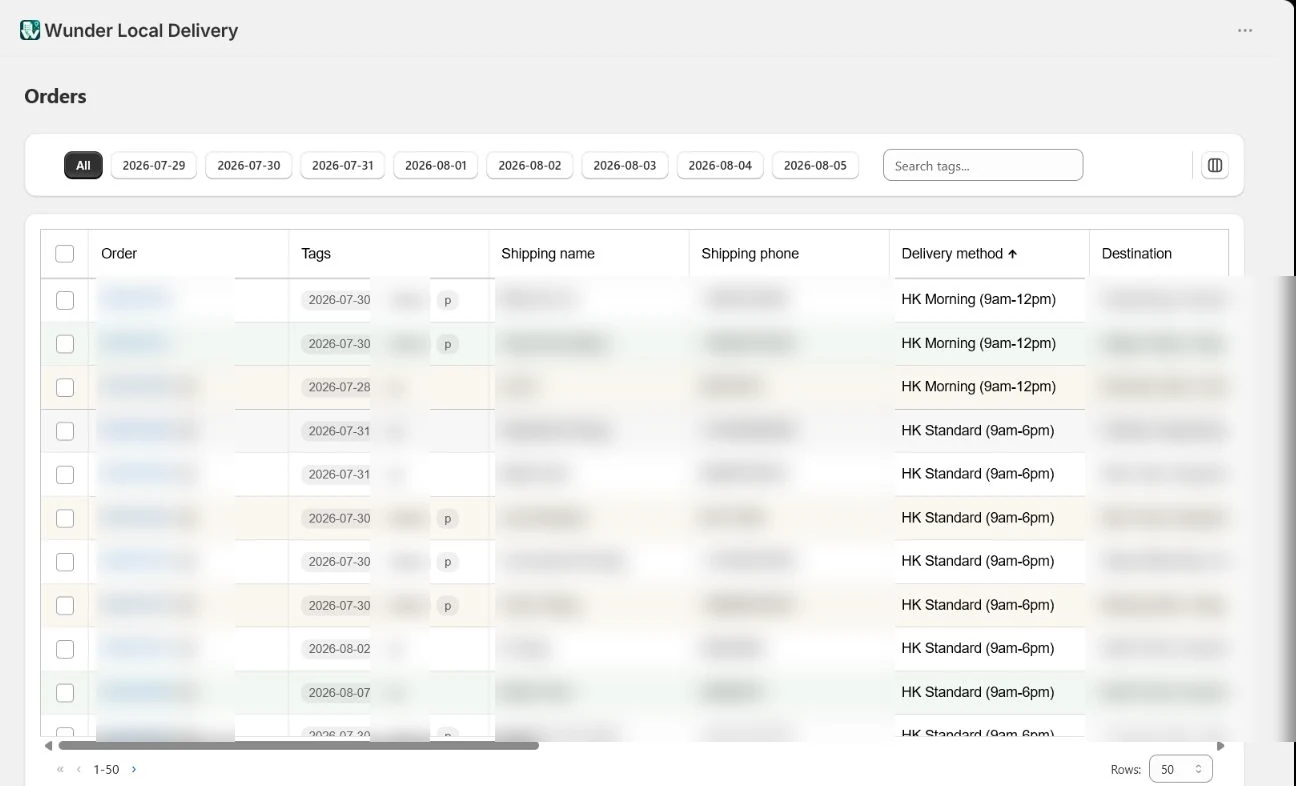
Use the date tabs, delivery methods and product thumbnails to turn a large Shopify order list into a practical daily view.
Step by step
Open Orders
Choose Orders from the Wunder Local Delivery navigation inside Shopify.
Choose the working date
Select Today, Tomorrow or another visible date to load only the orders needed for that delivery day.
Scan the important details
Use delivery method, tags and visible product thumbnails to recognise and prioritise each order.
Select the orders to action
Tick one or more rows when the same print, invoice, fulfilment or tag action should apply to them.
The screenshot uses real product data. Customer details and order identifiers have been blurred.
Make the next delivery day easier to run.
Bring order organisation, printing and driver hand-offs into one Shopify workflow.