Gift orders
Review buyer and gift messages
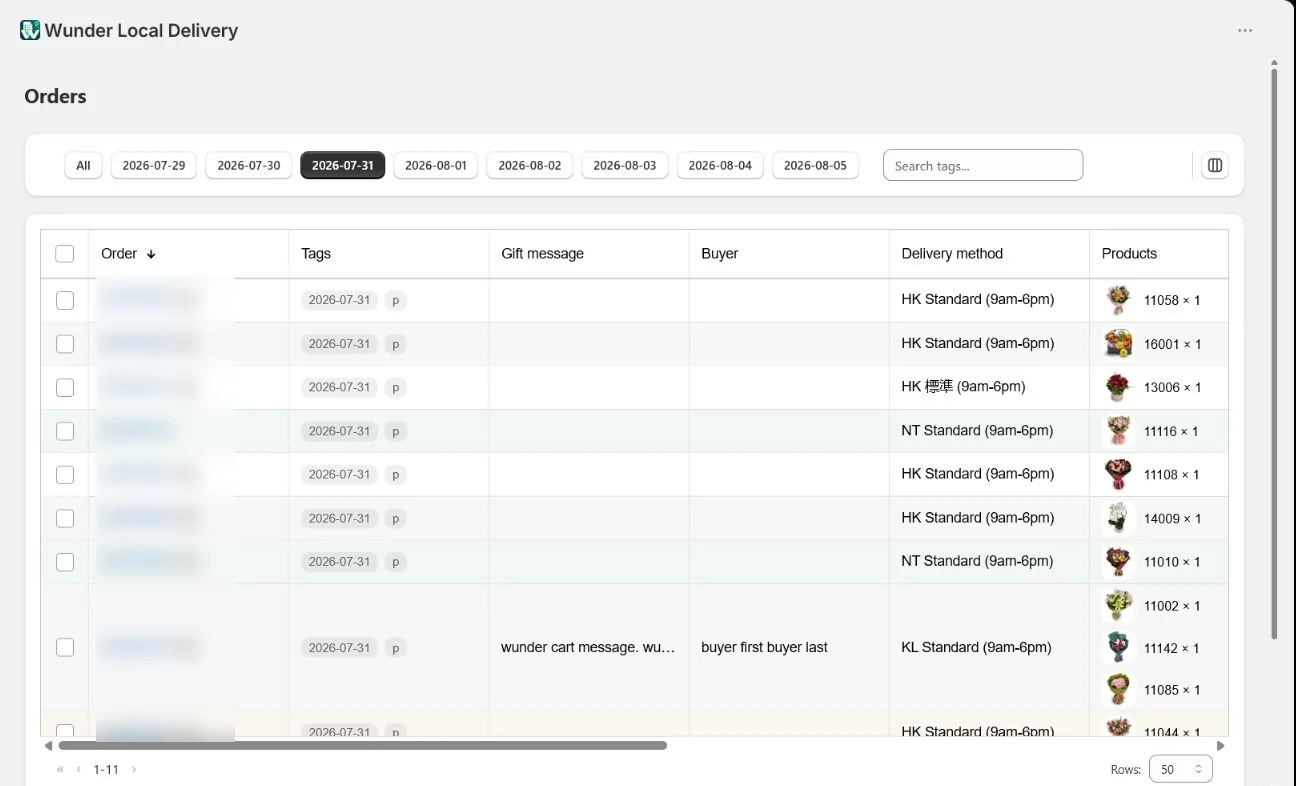
Keep buyer information and product-level or cart-level gift messages visible as separate operational fields while preparing an order.
Step by step
Open the column options
Use the column-options control at the right of the order filters.
Show the gift fields
Enable Buyer and Gift message. Hide unrelated personal-information columns when they are not needed.
Choose a delivery date
Narrow the list so the team reviews messages for the correct working day.
Check the message level
Confirm whether the message belongs to one product or the whole cart, then review the separate buyer information before printing or preparing the delivery.
The populated buyer and message shown are synthetic test values; all live order identifiers remain blurred.
Make the next delivery day easier to run.
Bring order organisation, printing and driver hand-offs into one Shopify workflow.